Telecom Maintenance Platform
Rethinking a critical maintenance workflow for the platform’s next version.
As the platform moved from Version 1 to Version 2, we used research to understand what needed to change, not just what needed a new interface.
Maintenance planning emerged as a critical workflow to rethink — difficult to navigate, hard to progress through, and inconsistent when users needed to recover from errors.
The Problem
A complex planning task had become difficult to navigate.
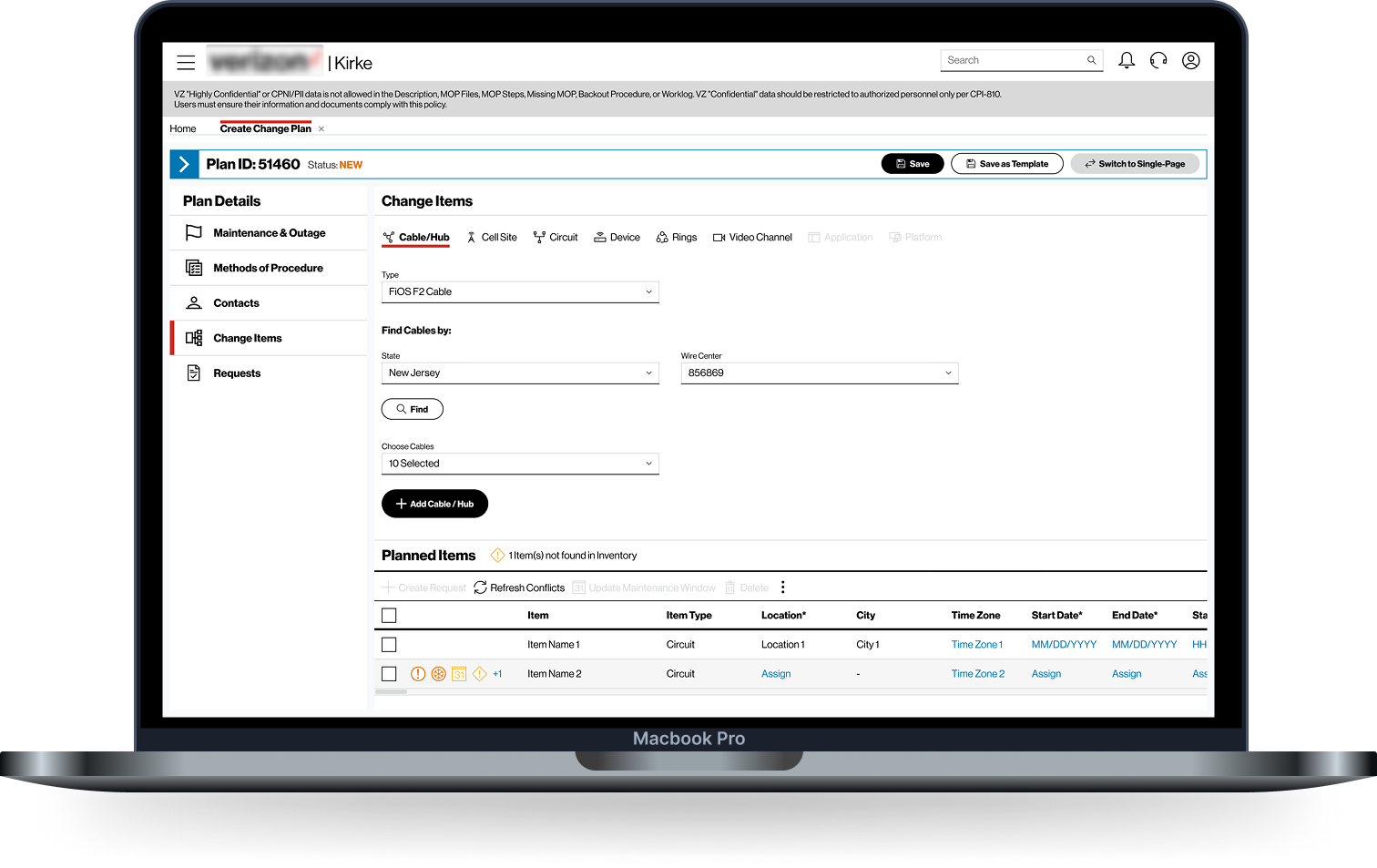
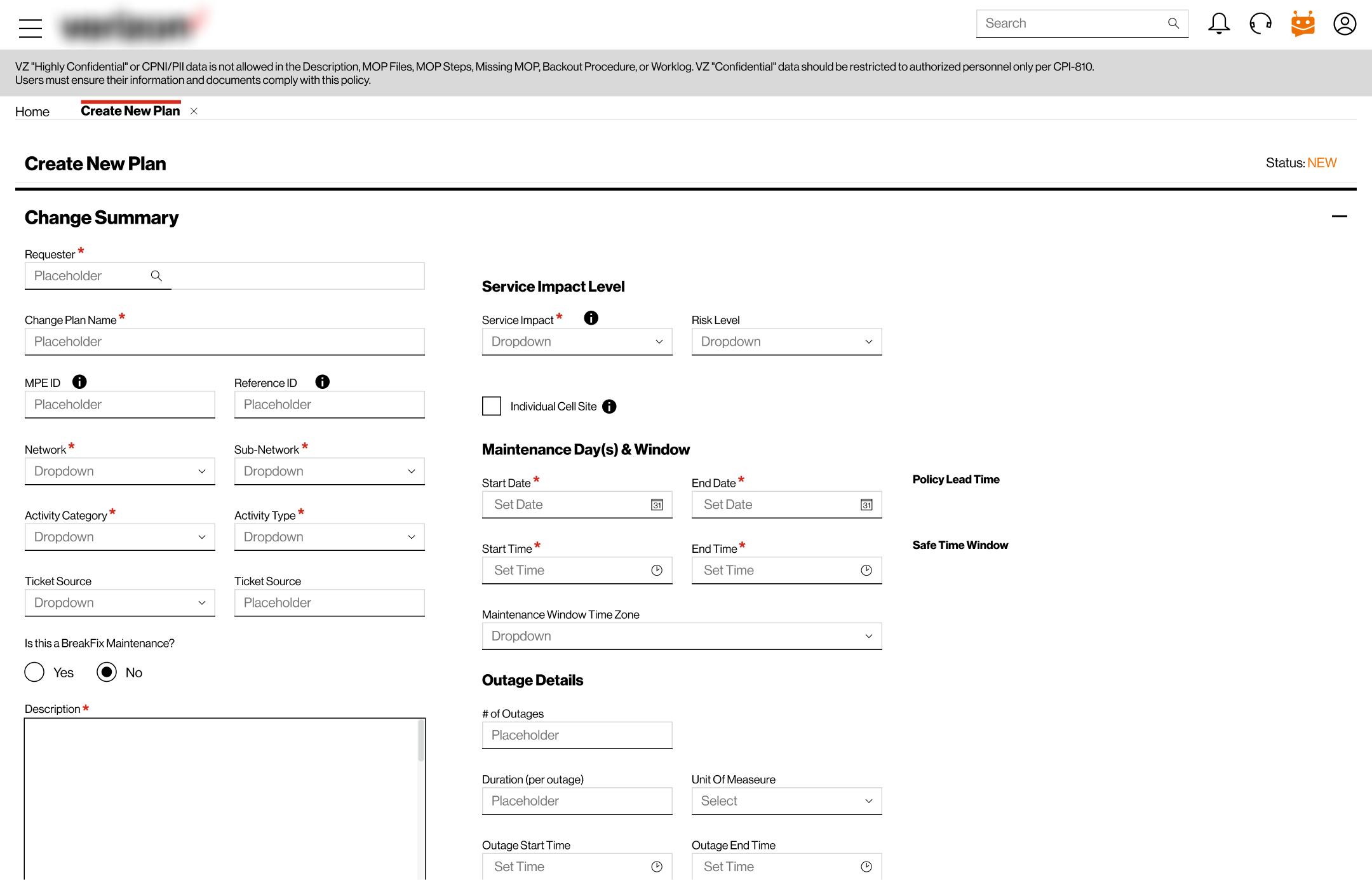
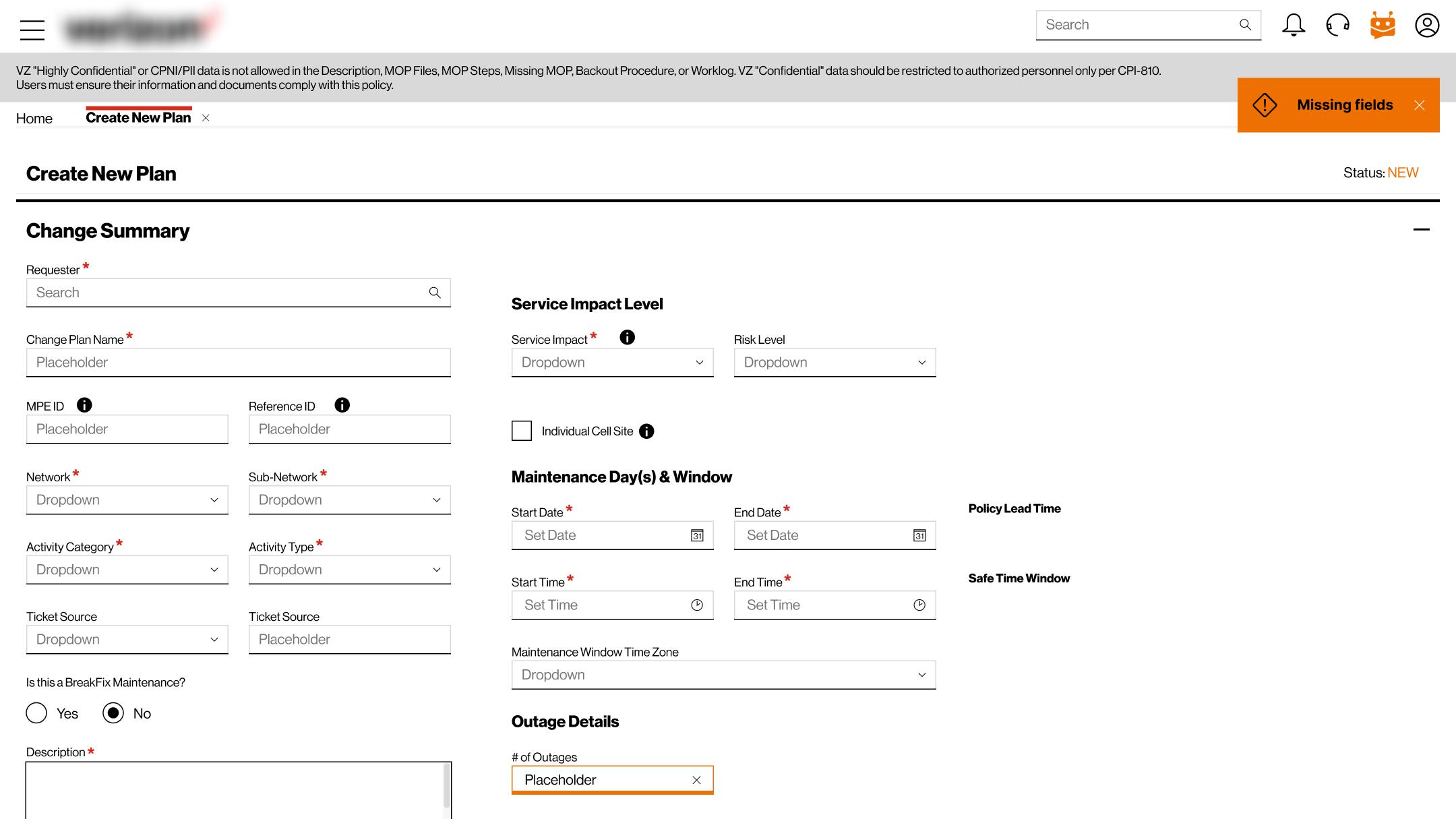
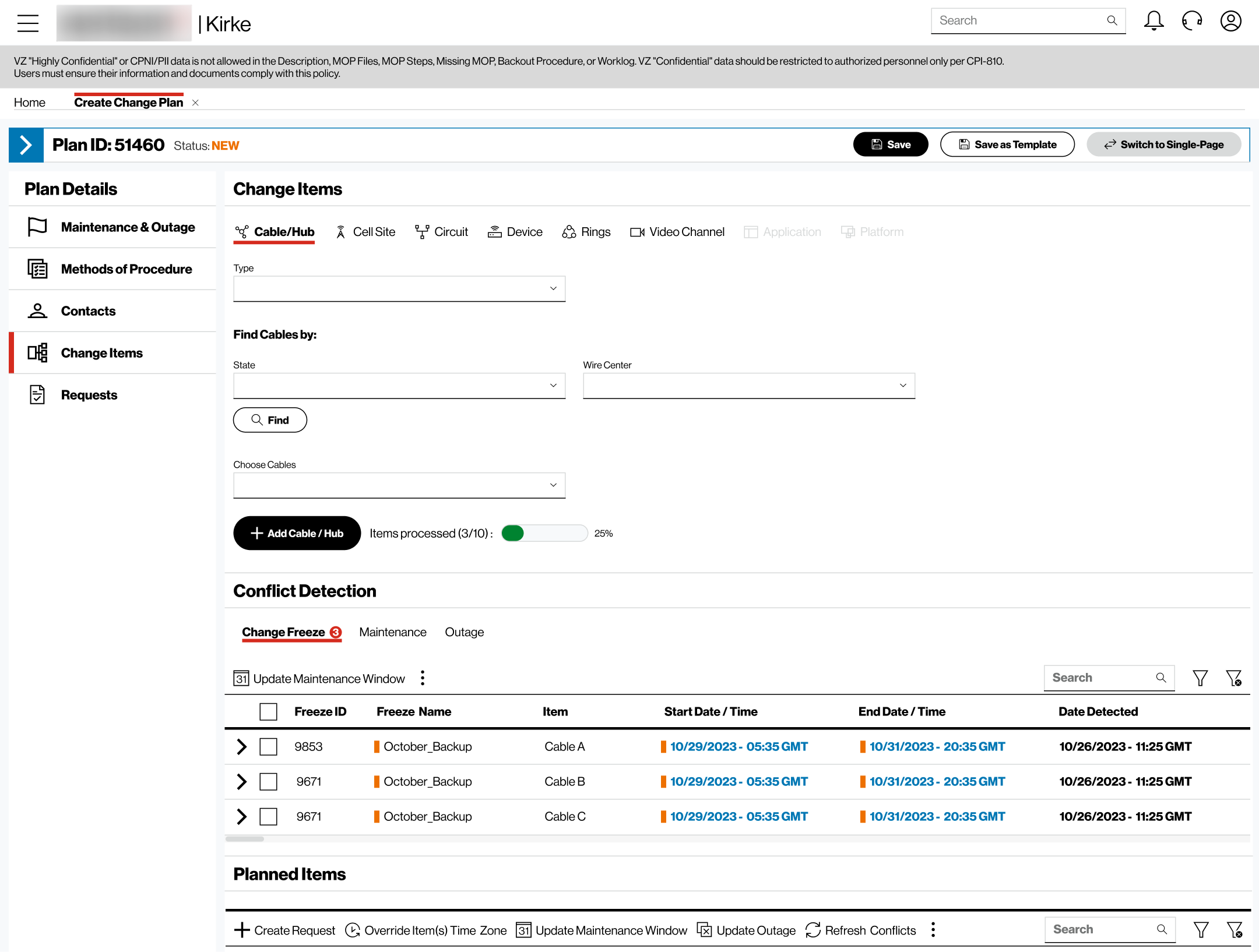
Creating a maintenance plan meant coordinating people, equipment, activities and other operational information. In Version 1, that complexity was handled through a 6-section long form with many inputs, lookups and dependencies, making the task difficult to navigate.
Version 1 · Existing Create Plan Experience
How might we make a complex workflow easier to understand, complete and recover from?
What We Learned
Research helped us find where to focus.
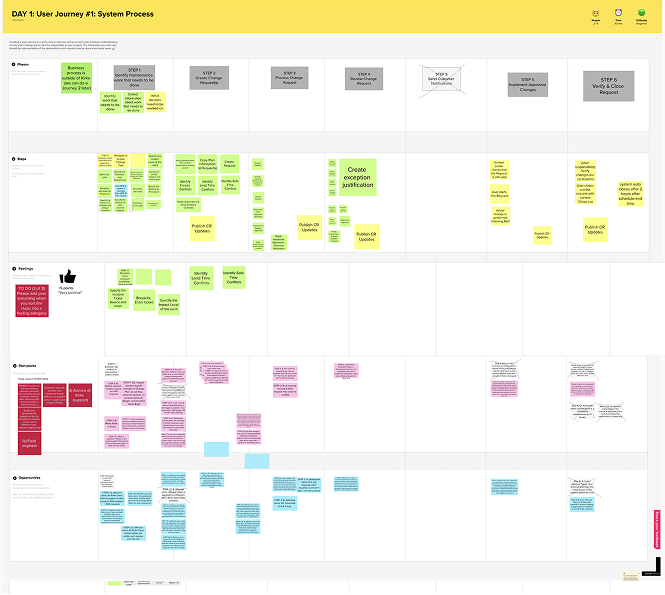
Broader discovery combined workshops and user research across maintenance roles. I conducted user interviews and worked with the other designers to synthesise what we learned.
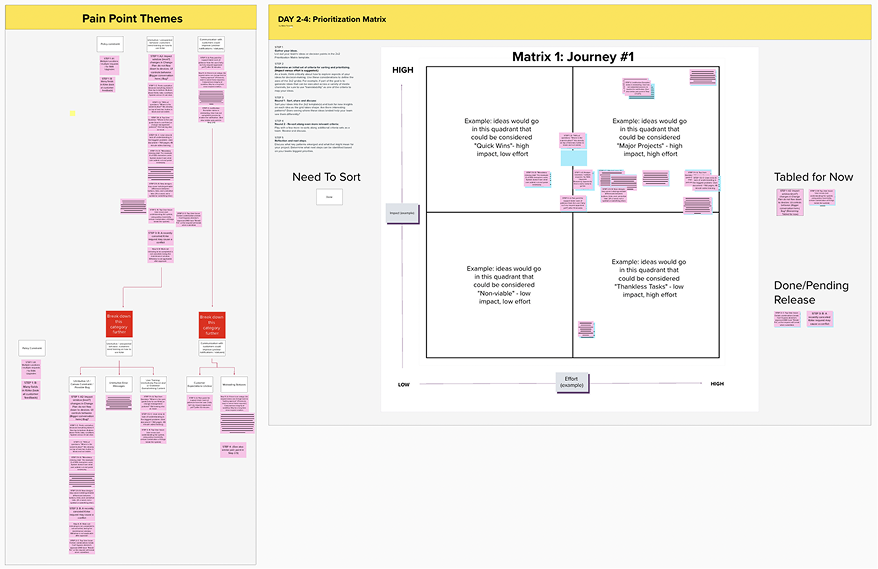
Maintenance planning emerged as a critical area to address, with three recurring problems: too much to process at once, weak information hierarchy, and difficult recovery.
At a glance
4 workshops · 19 users · 4 designers · 4 interviews personally conducted
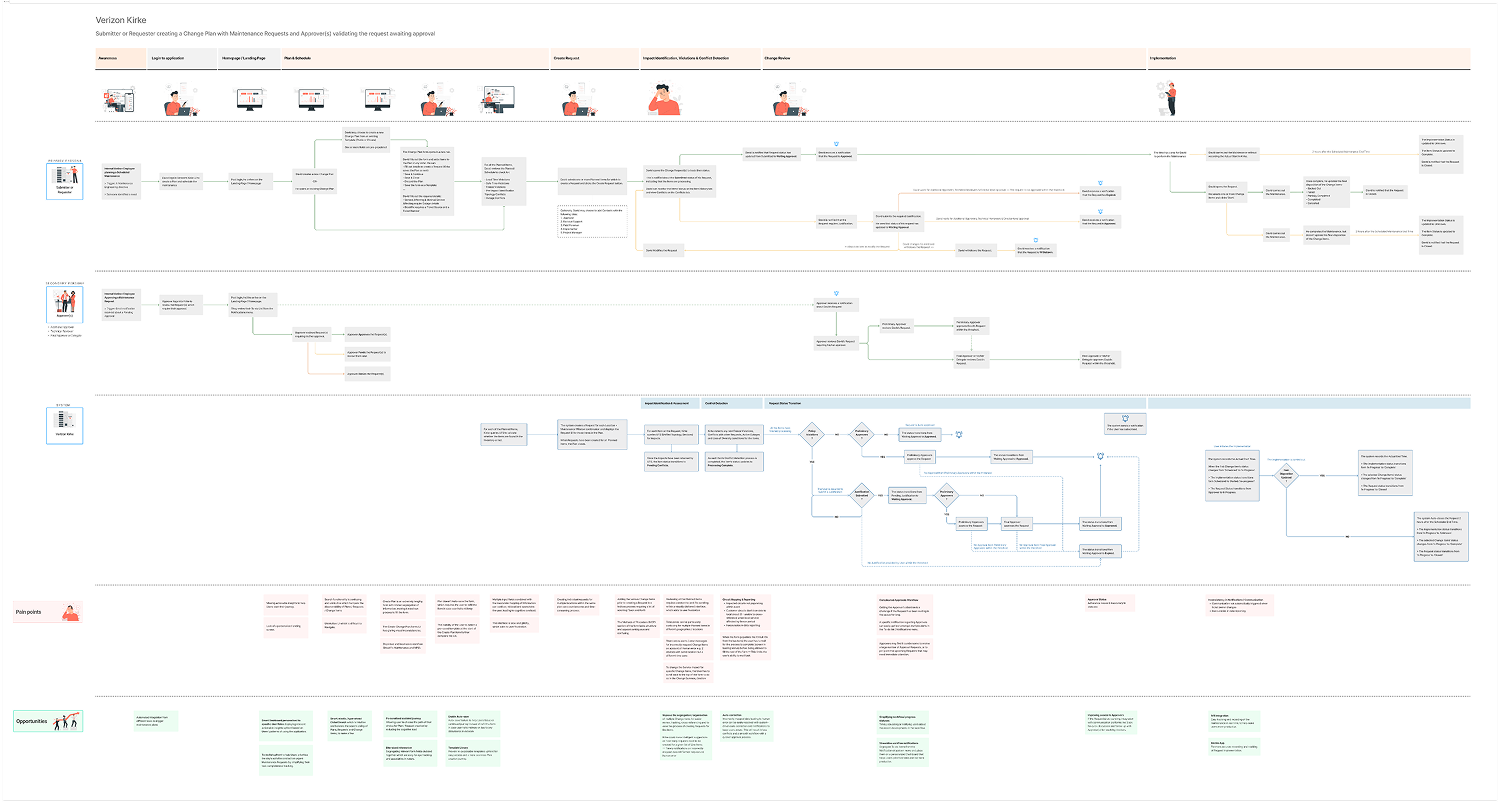
Journey & System Process Mapping
Design Decisions
Three decisions shaped the new planning experience.
01 · Guide the workflow
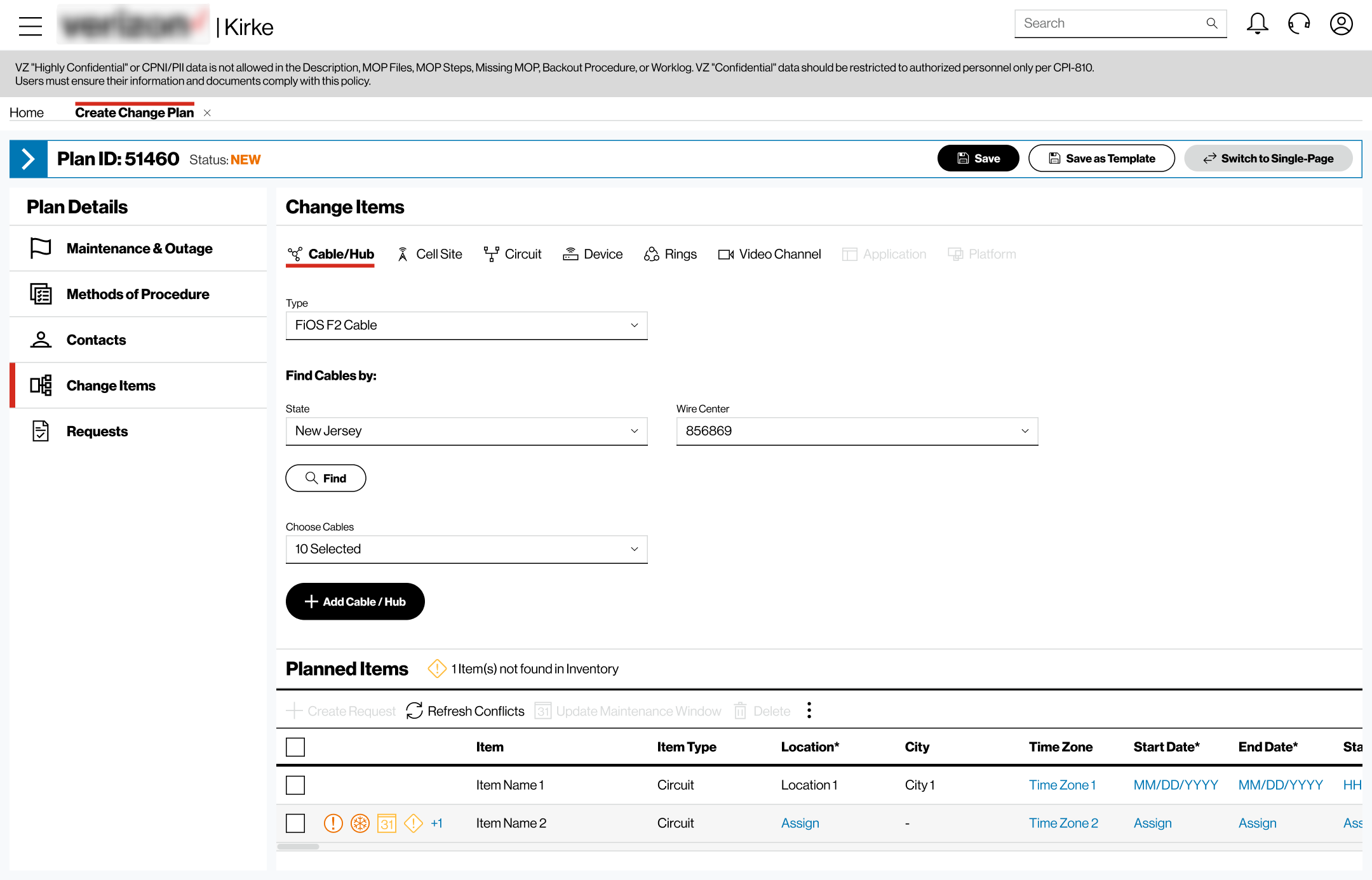
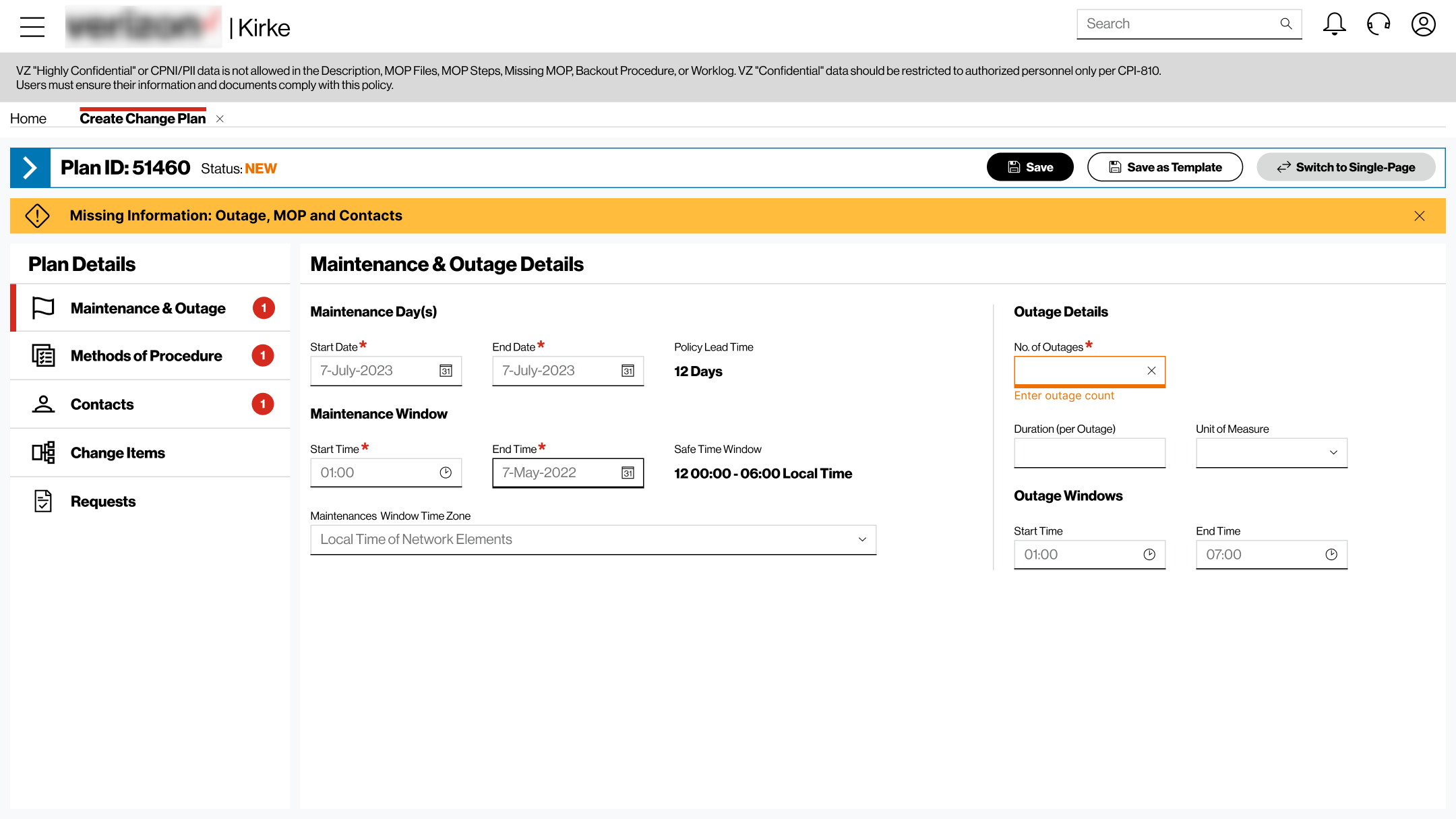
Break the planning workflow into meaningful stages with visible progress, so users could focus on what they needed at each point instead of processing the entire form at once.
02 · Organise the information
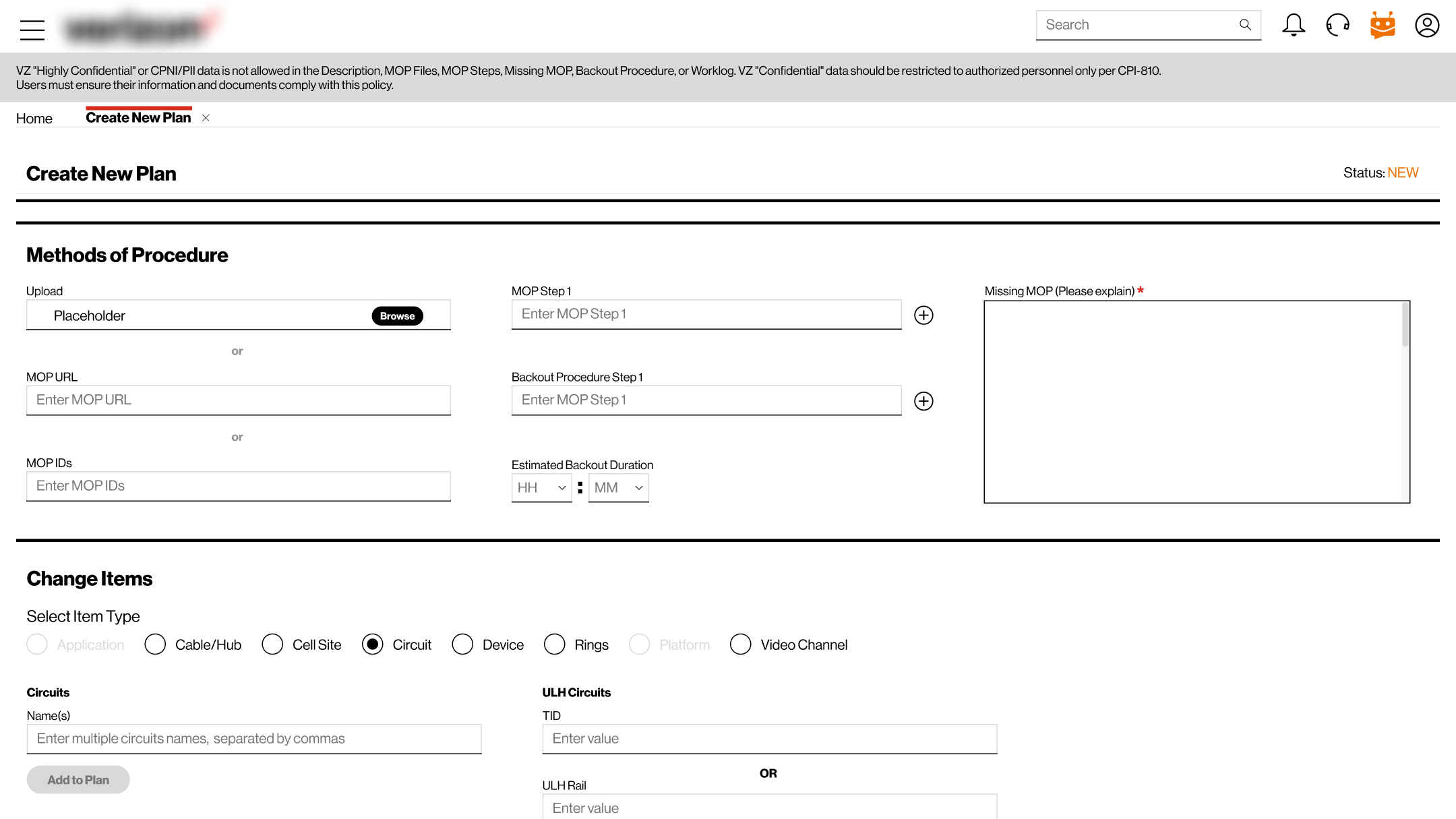
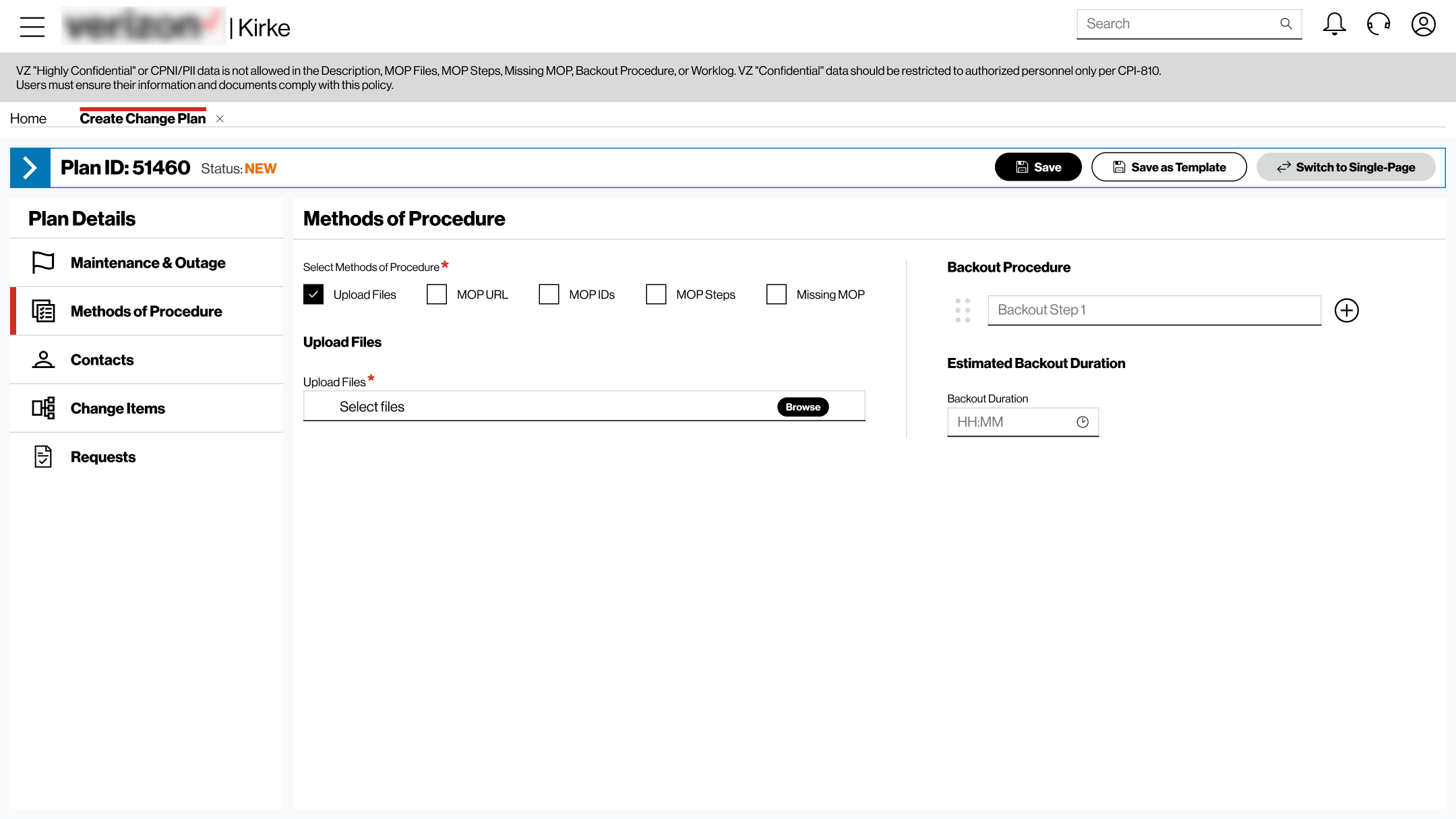
Structure the workflow around Establish → Configure → Review, bringing critical information forward and keeping related inputs together to create a clearer sequence through the task.
03 · Make errors actionable
Standardise feedback across Validation · Input · Network · Access, so users could understand what went wrong and what to do next.
Testing the Direction
Feedback challenged our assumptions — and changed the design.
We reviewed the evolving experience across 3 demo sessions with users, stakeholders, Product Owners and Engineering. The feedback led us to revisit three parts of the design.
Preserve flexibility
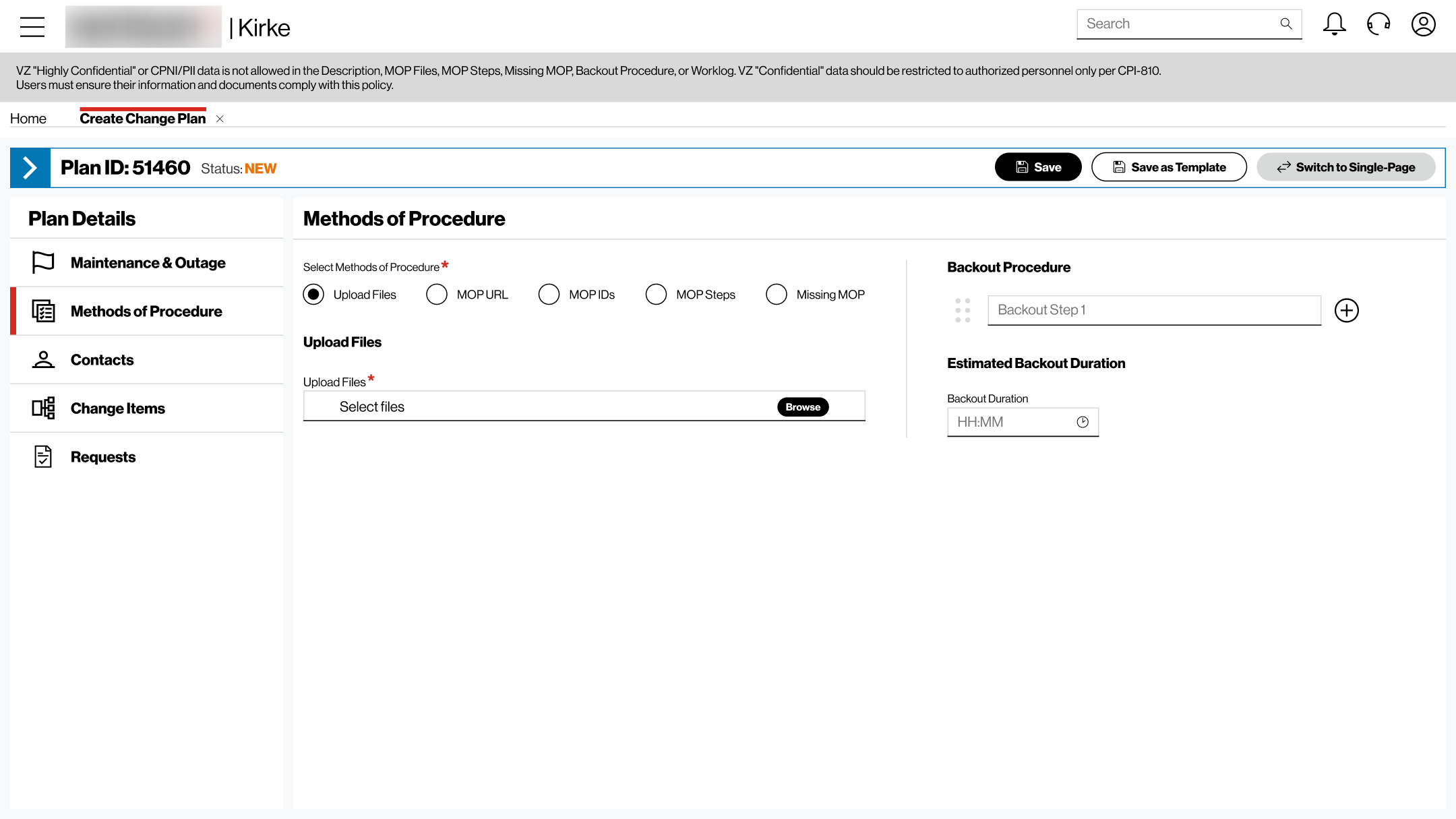
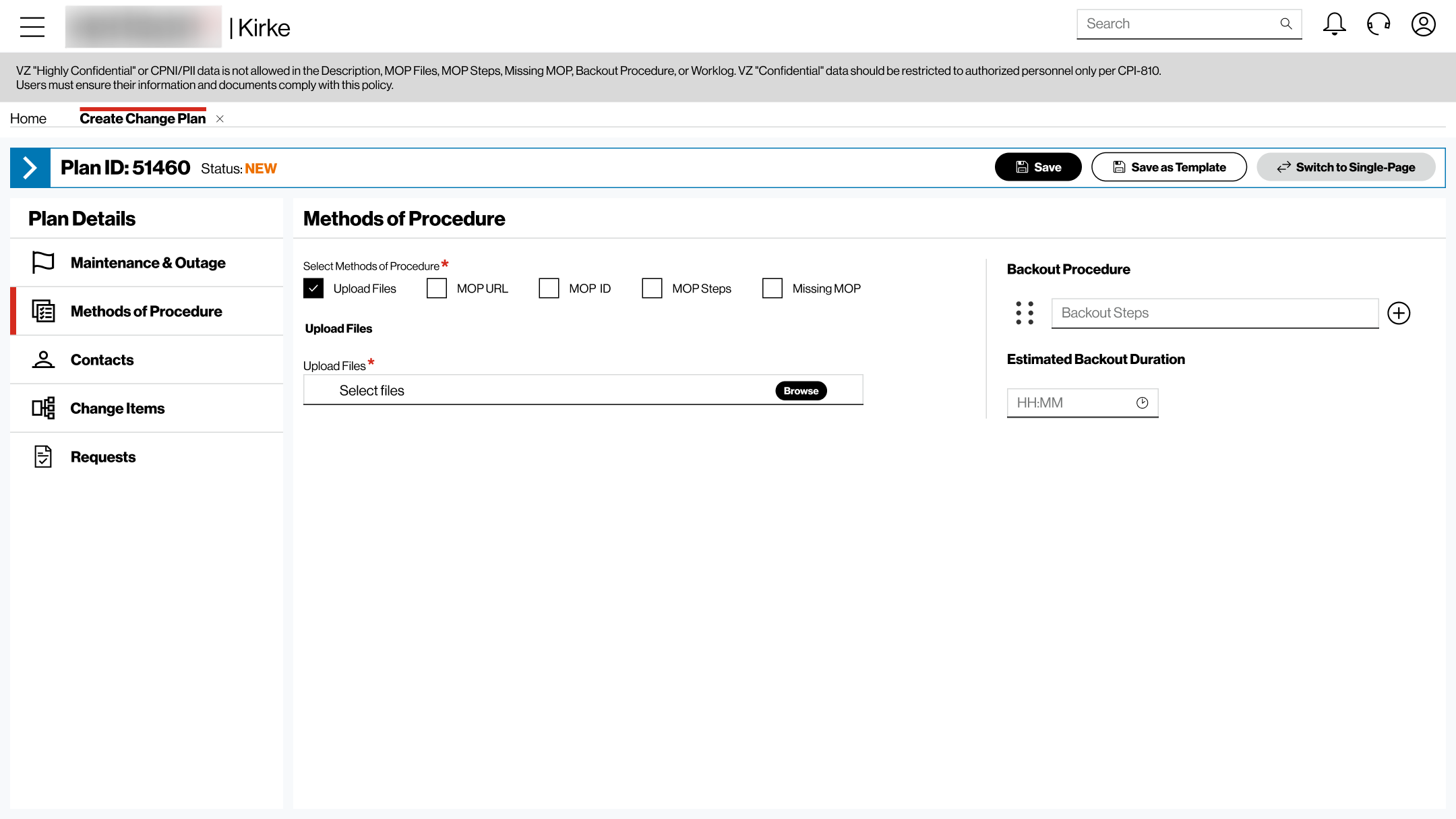
Experienced users still valued the familiar long-form experience, so we kept that option alongside the guided workflow.
Correct an assumption
We initially designed for a single procedure, but user feedback showed that a maintenance plan could involve multiple procedures.
Work within technical constraints
Engineering identified feasibility constraints around section-level error states, so we refined the interaction around what the system could reliably support.
Preserve flexibility
The Final Experience
A clearer way through a complex planning task.
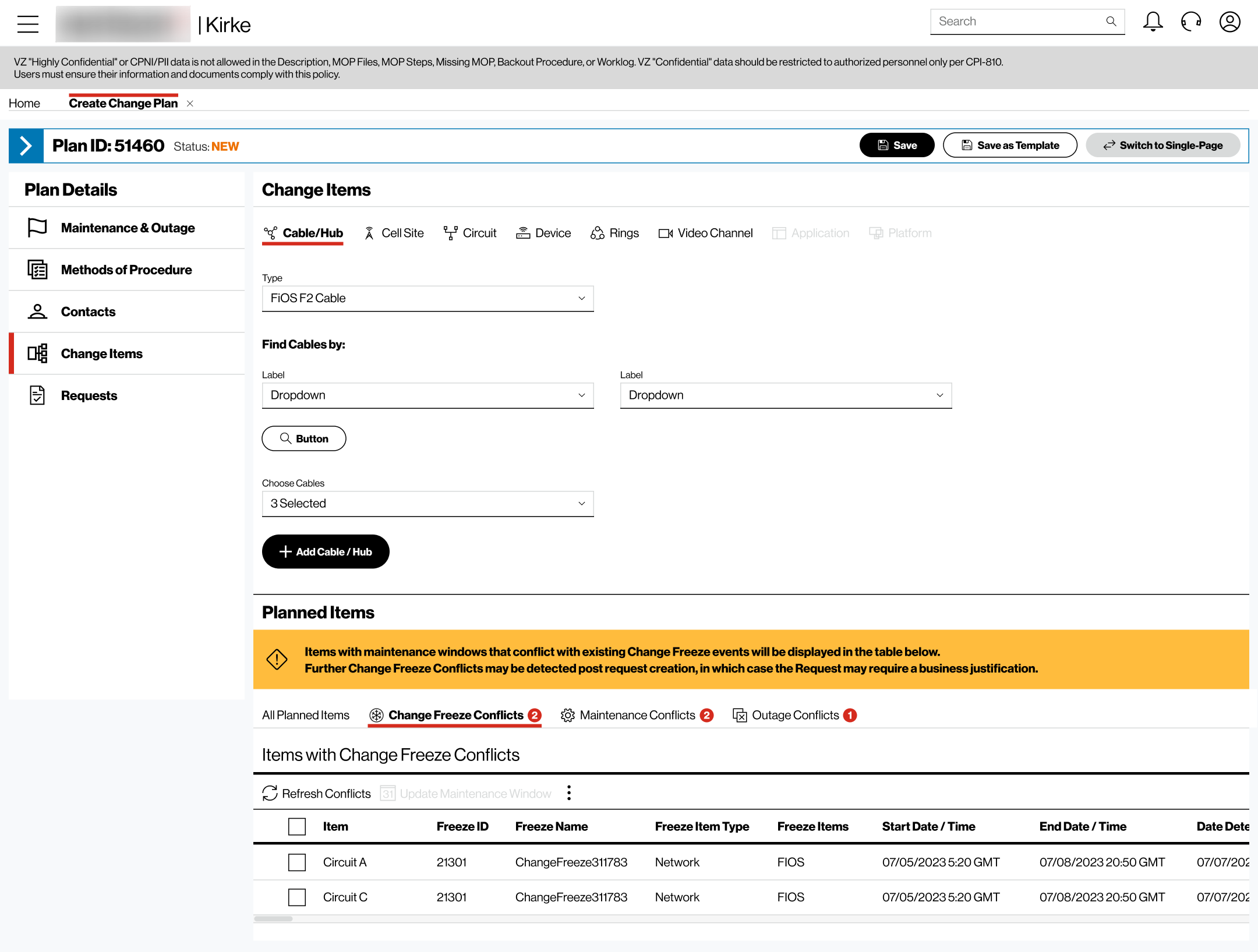
The final experience brought the design decisions and iteration together into one connected workflow.
Establish → Configure → Review
01 · Establish
Start with the critical context needed to define the maintenance plan.
02 · Configure
Work progressively through the people, equipment, procedures and other information required for the plan.
03 · Review
Review the completed plan and resolve anything that needs attention before submission.
Final Product Visual
What I Took Forward
The first solution doesn’t need to be the final one.
User feedback and Engineering challenged some of our initial assumptions and changed important parts of the design.
Make a decision, test the assumption behind it, and be willing to change the design when the evidence changes.