Course Versioning
Updating published courses without disrupting learners already in progress.
Course admins needed a safer way to update live learning content. What started as a Course Versioning request became a broader challenge: allowing courses to evolve while protecting learner progress and the experience already in use.
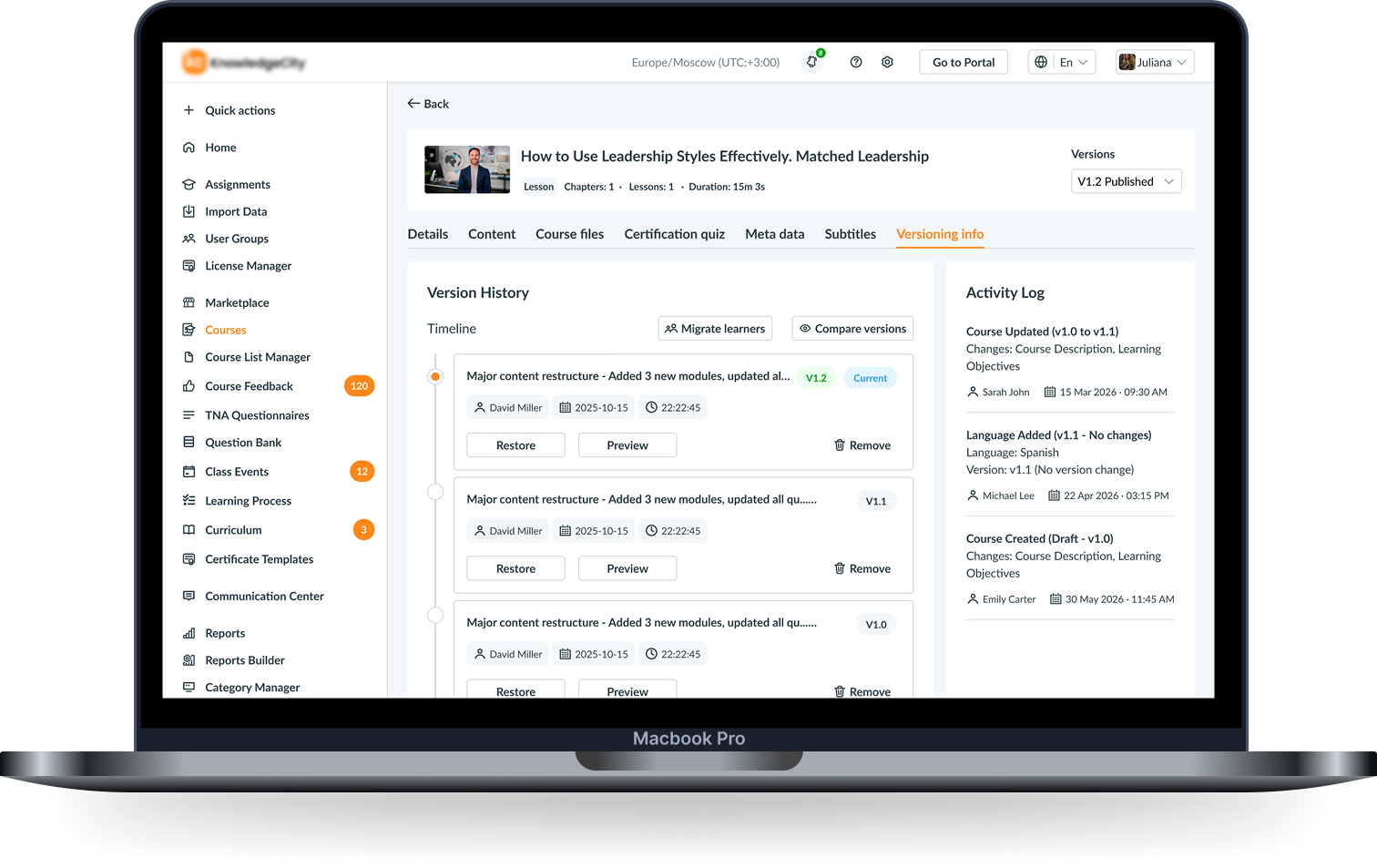
The Problem
Updating a live course meant changing something learners were already using.
The project started with a Course Versioning request from the Product Owner. Tracing the existing workflow revealed a larger issue: admins were preparing future changes around a course learners were already using.
Admins couldn't save updates as a draft. They could only Cancel or Publish Course, which meant saving changes published them live.
The challenge wasn't creating V2.
It was protecting everyone still using V1.
What I Found
Understanding how course updates actually happened.
I interviewed four course administrators to understand how they handled updates after a course was already live.
I also explored learning platforms and version-control patterns to understand how other products represented work-in-progress, published states and change history.
What we learned
Four admin interviews surfaced three recurring needs.
- Save without publishing
- Continue work across shifts
- Keep future changes apart
Admins needed a safe way to update live courses without disrupting learners already using them.
Real Challenge
Admins needed flexibility. Learners needed stability.
The research shifted the requirement from simply adding versions to defining how a published course should evolve.
Admin flexibility ↔ Learner stability
Lifecycle Design
Separate Draft from Published.
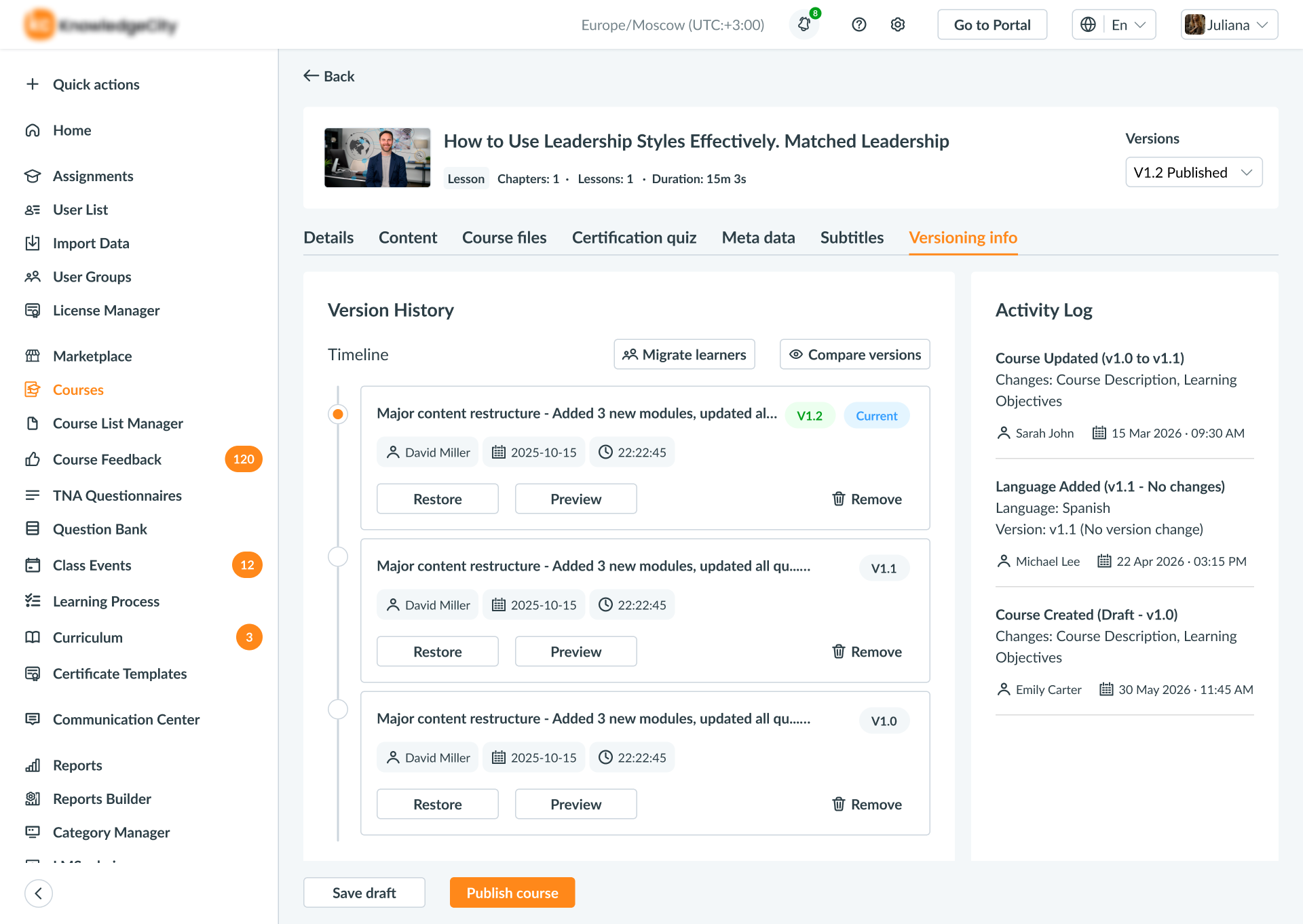
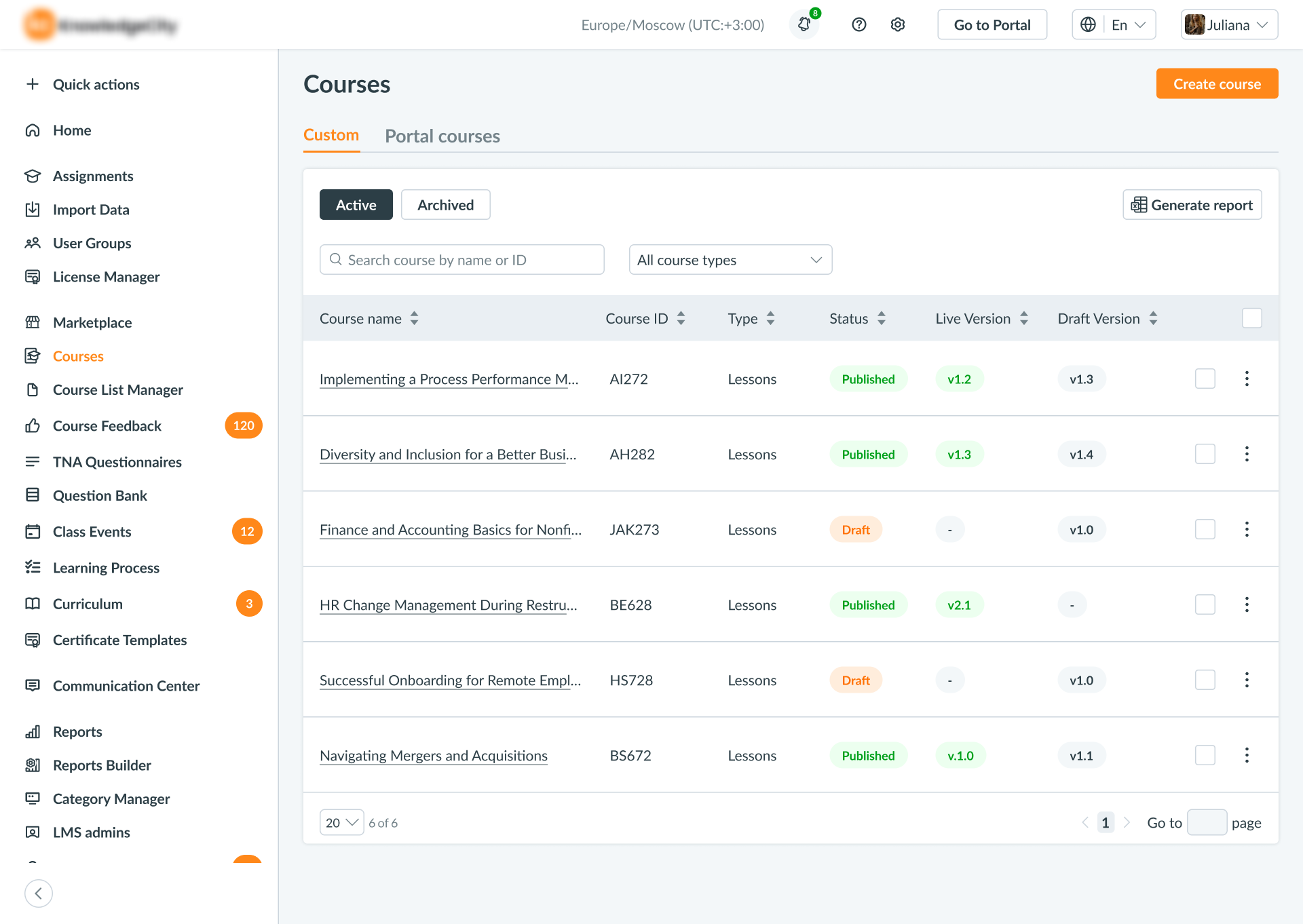
Admins could create Draft V2 while Published V1 continued serving learners. The Draft persisted, allowing another admin to continue the same work later.
Save preserves the work.
Publish changes the learning experience.
01
Save Draft
Prepare changes without affecting Published V1.
Learner Impact
Publishing introduced a learner problem.
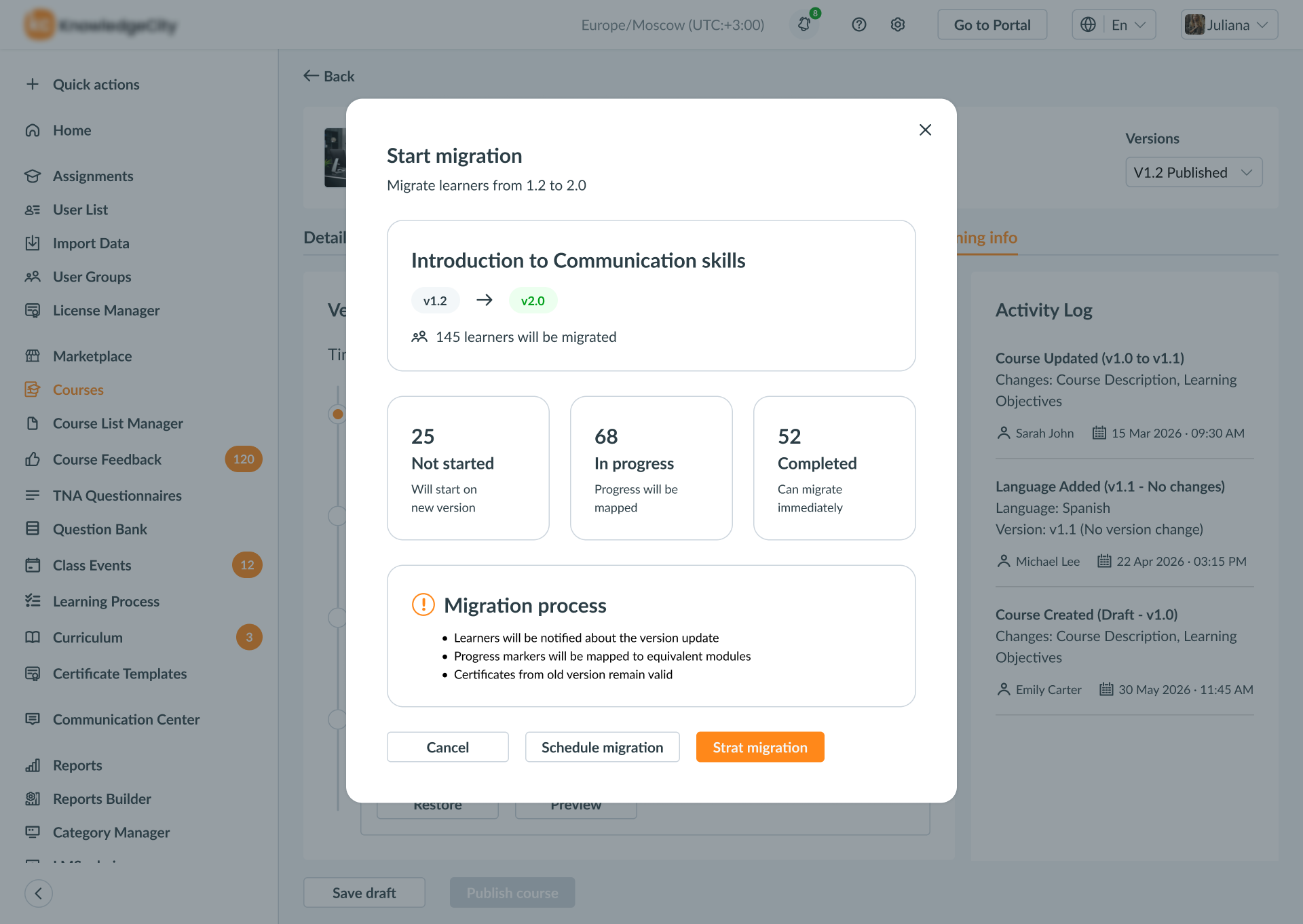
A learner could already be halfway through V1 when V2 was ready. Automatically replacing their course could disrupt progress they had already made.
Publishing needed to surface learner impact before the new version became live.
Existing learners keep their version. New learners get the latest.
Migration
Existing and new learners didn't need the same treatment.
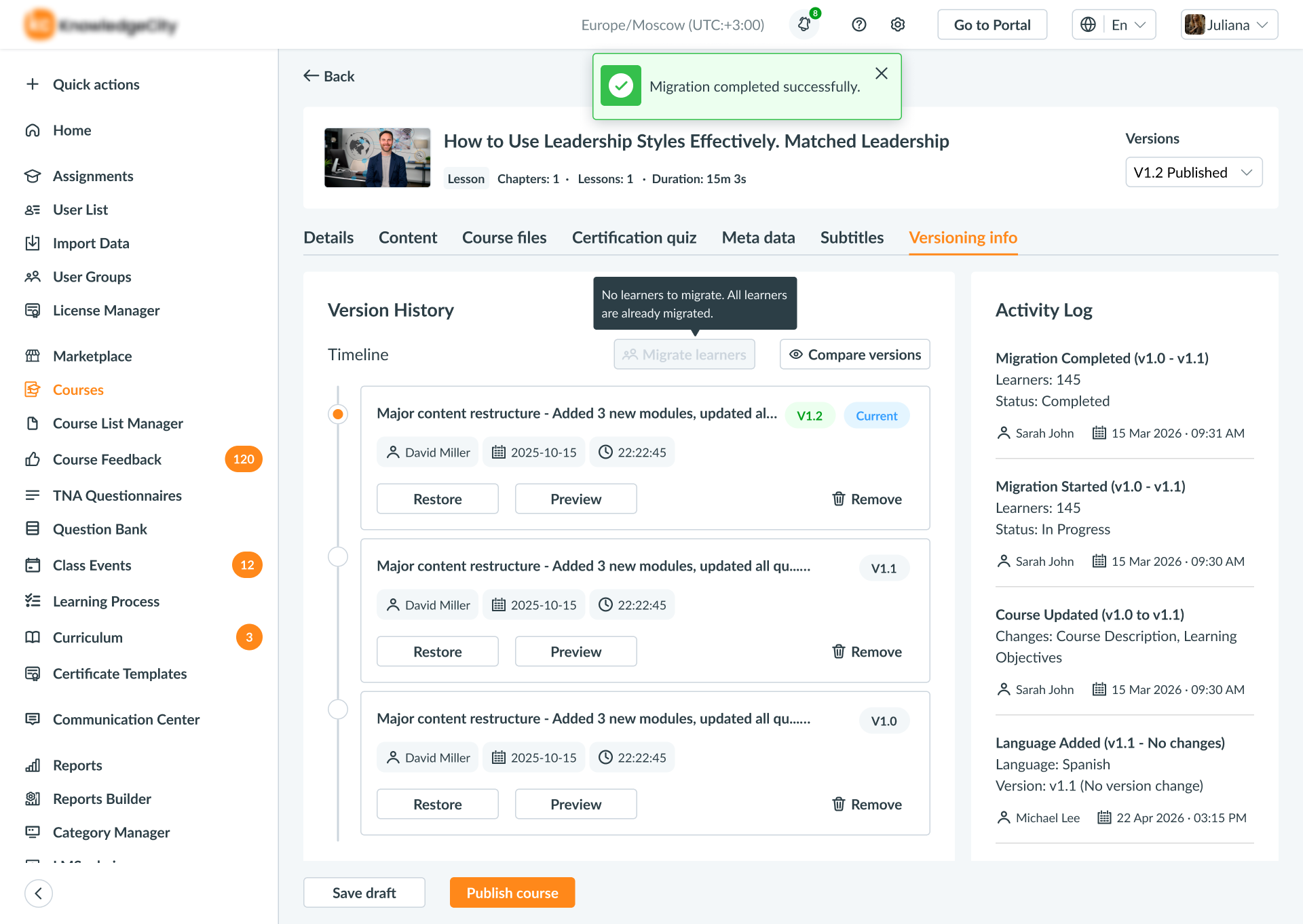
Existing learners could remain on the appropriate version they were already taking, while new learners received the latest published version.
When migration was required, it became an explicit admin decision.
01
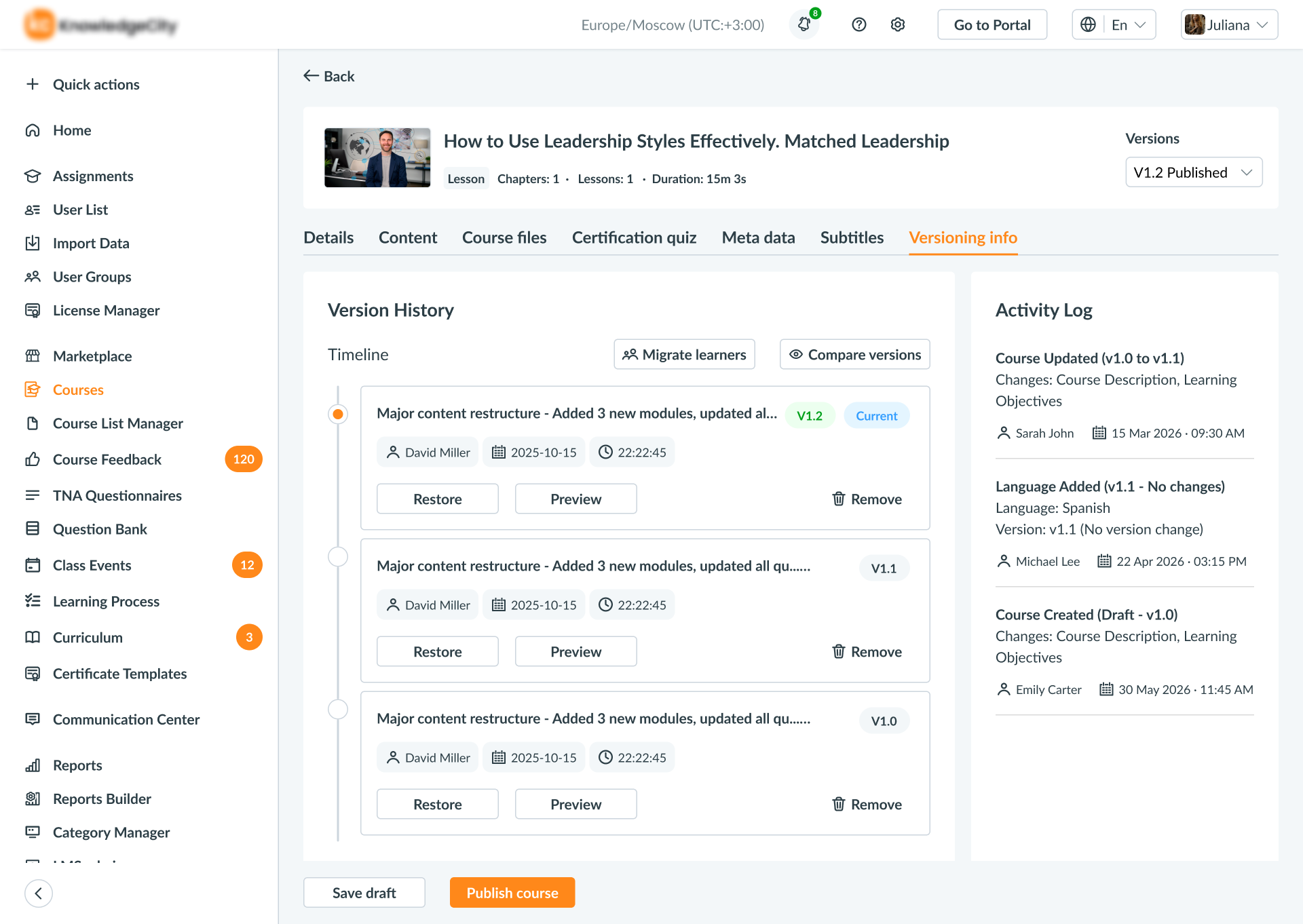
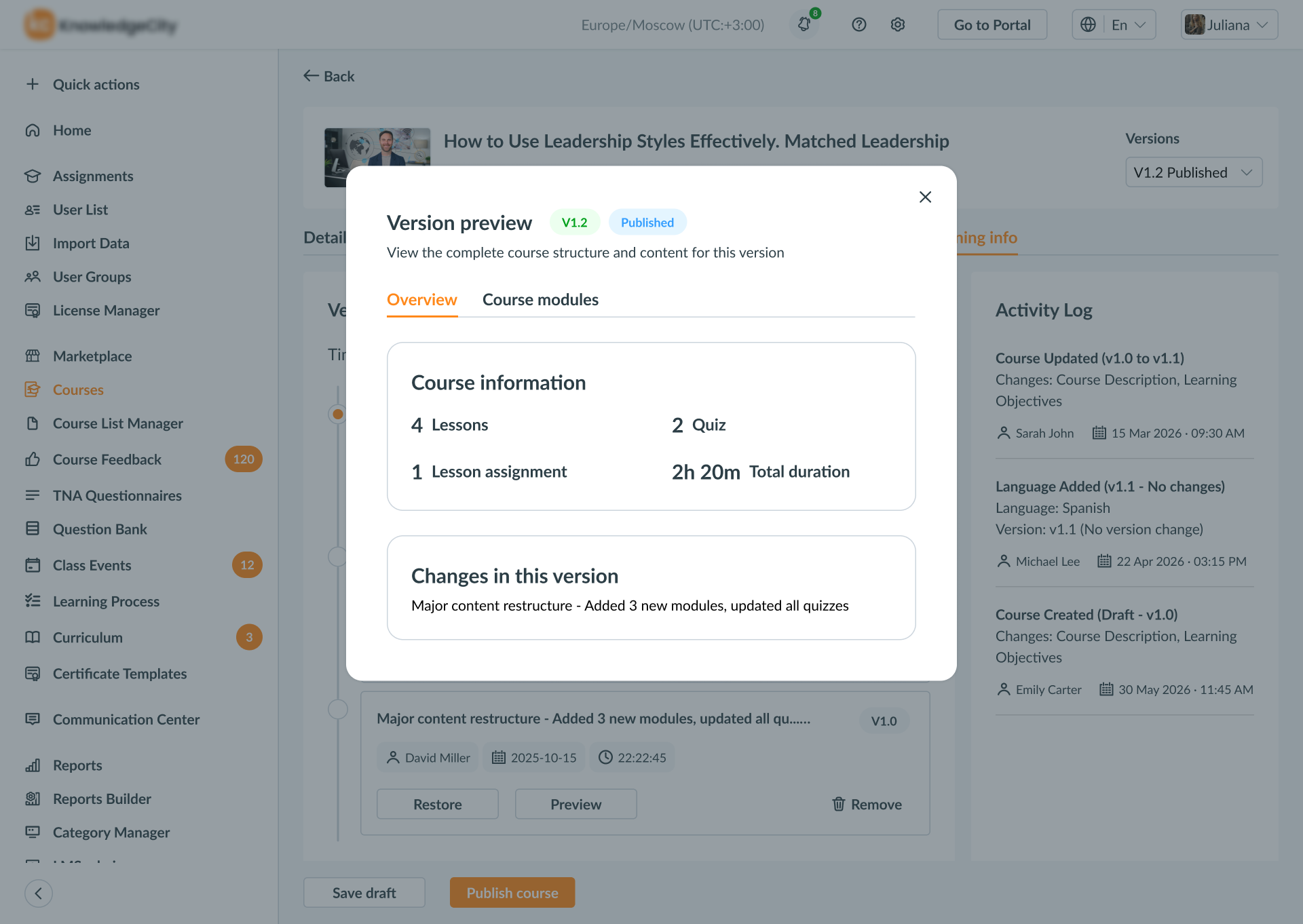
Course Version Info
Scope Decision
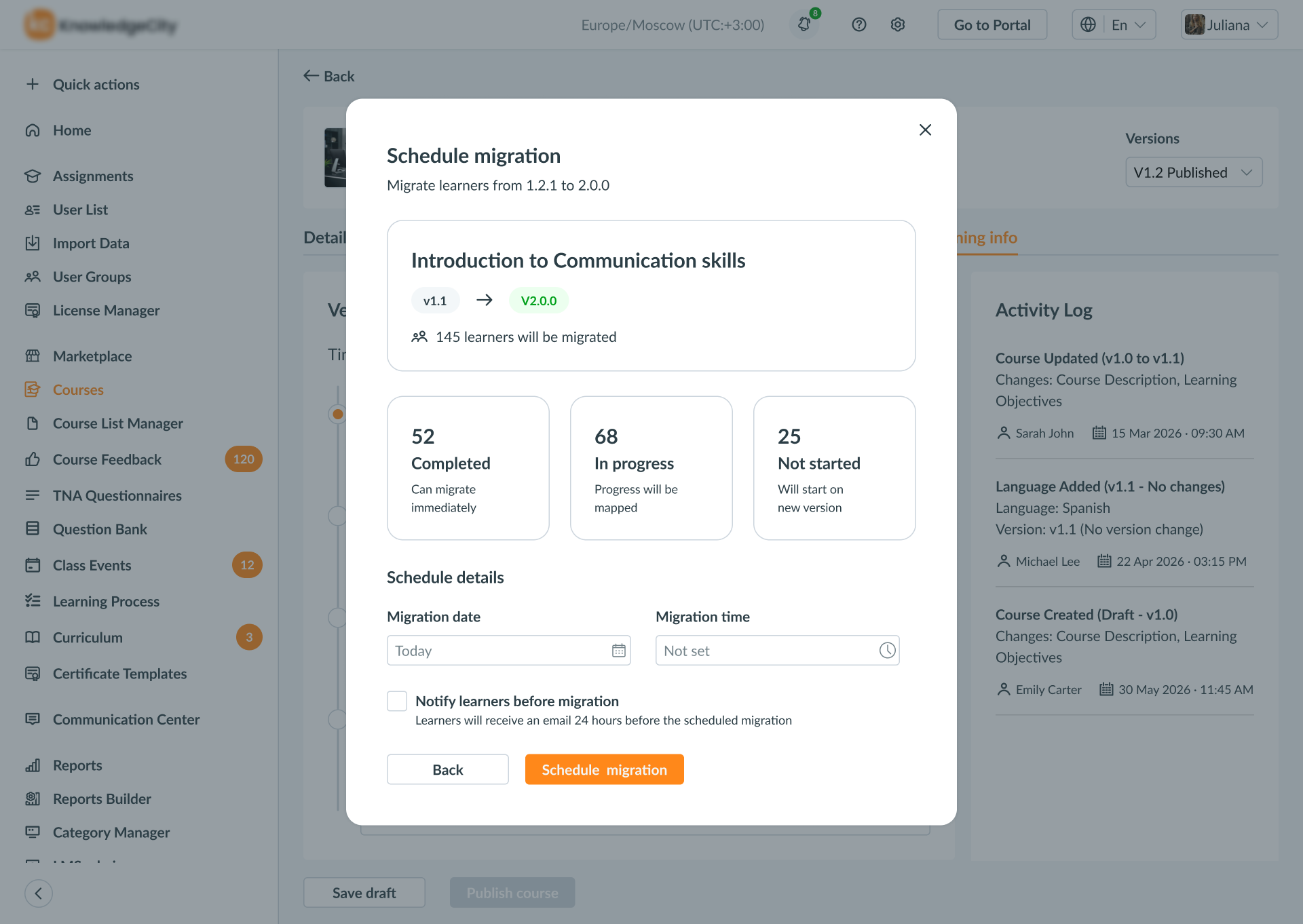
Scheduled Migration was valuable—but not essential for V1.
I explored Scheduled Migration, allowing admins to choose a future date to move learners.
Engineering surfaced additional states, timing logic and edge cases. With a three-week timeline, I worked with the Product Owner and Engineering to defer Scheduled Migration and protect the core lifecycle.
3-week delivery window
- Draft
- Publishing
- Learner continuity
- Version history
- Scheduled migration
Learner Experience
Give admins control. Give learners clarity.
Once the lifecycle rules were defined, I didn't expose the same complexity to everyone.
Admins needed to manage versions and migration. Learners only needed to know what changed, whether their progress was safe, and if they needed to do anything.
Same lifecycle. Different information needs.
How It Works
One lifecycle connected the entire experience.
Admins could evolve a course while learners continued through a stable experience.
Final course lifecycle
One connected lifecycle.
01
Course List
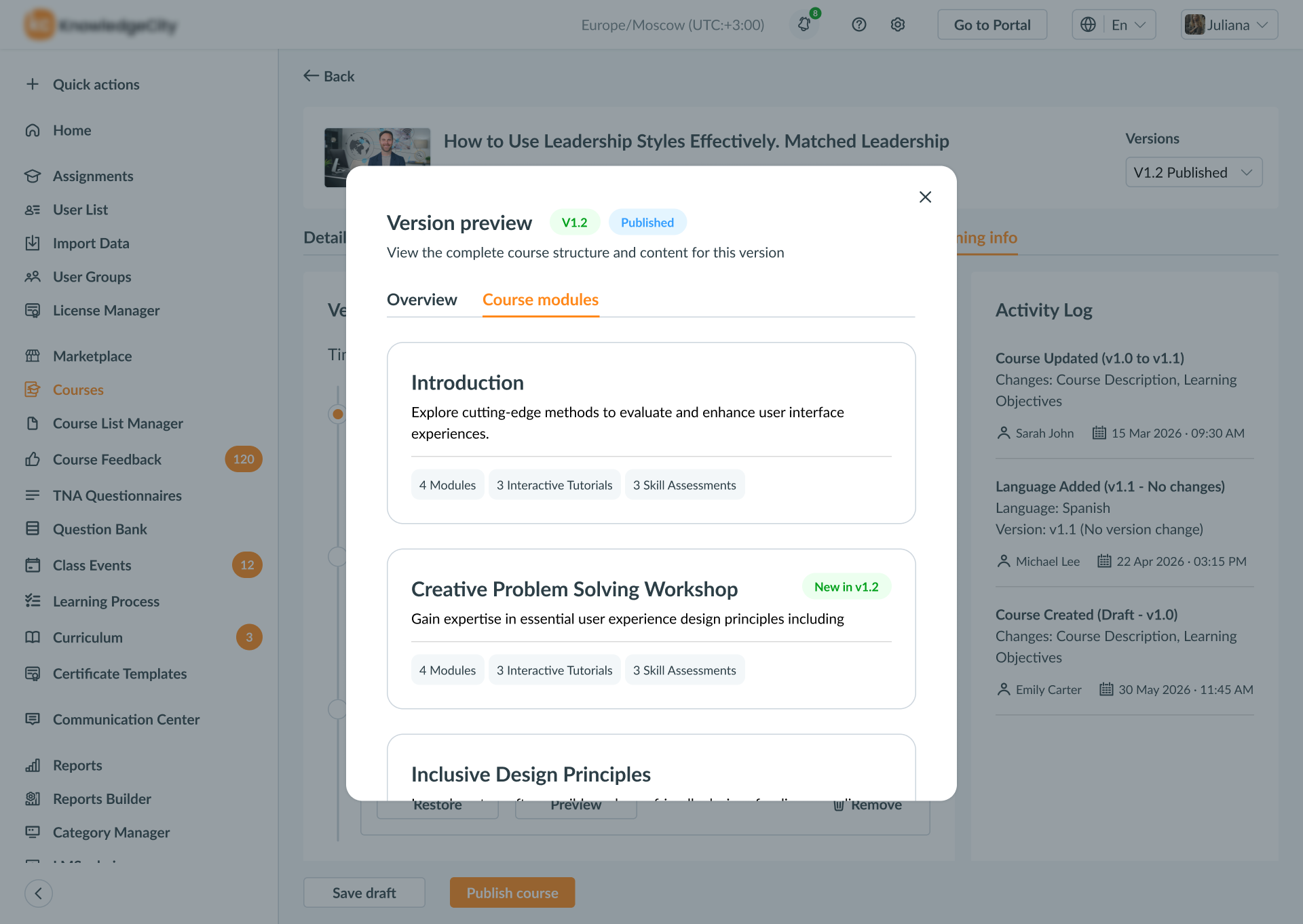
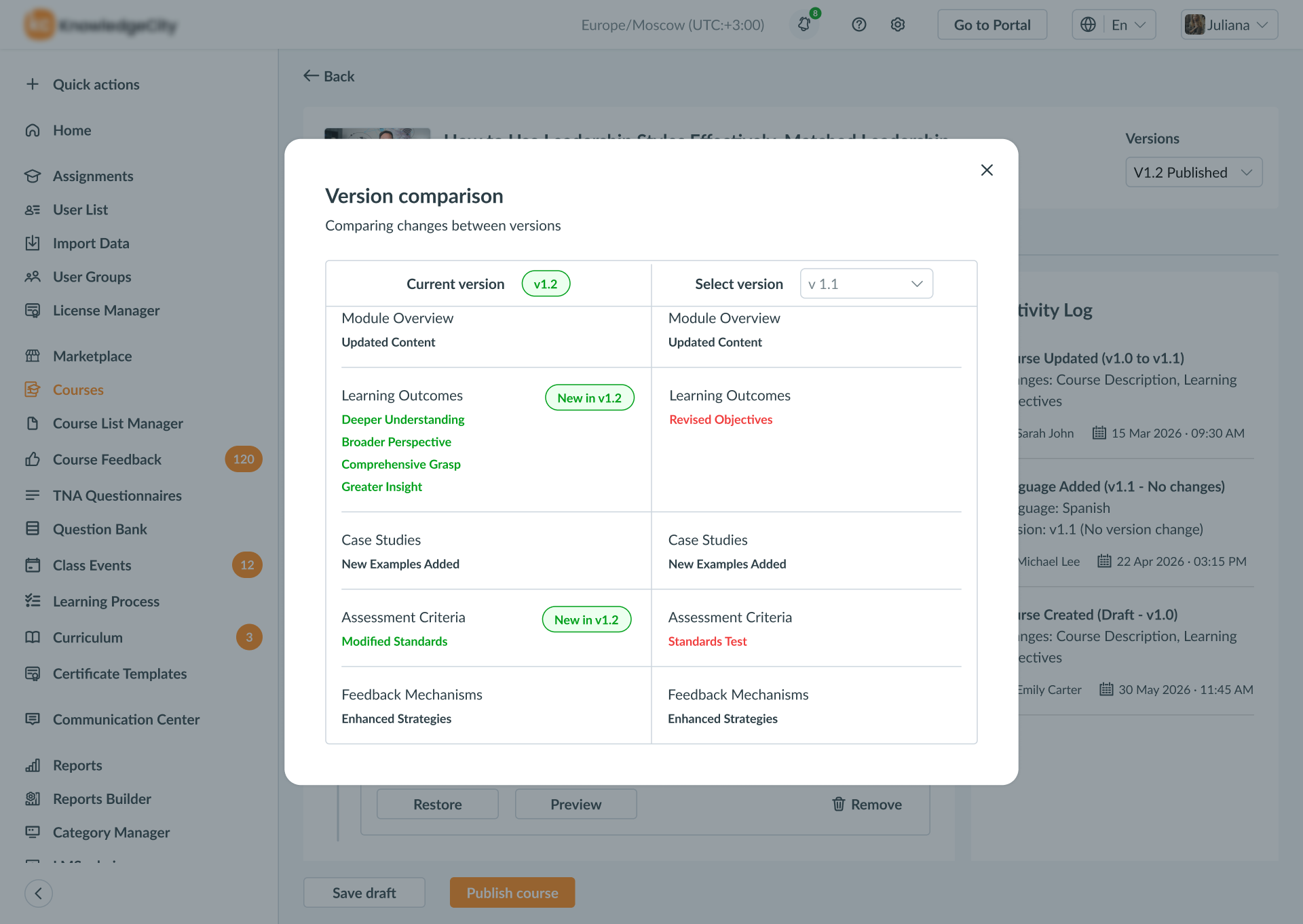
What Changed
From manual workaround to an in-product lifecycle.
The documented update workflow moved from a manual, duplication-heavy workaround to a shorter, clearer in-product workflow.
More importantly, admins gained an explicit way to prepare, publish and track course updates inside the LMS.
~11 → ~5 steps
Workflow comparison, not a measured efficiency improvement.
Before → After
What changed between the documented workaround and the designed lifecycle.
Manual duplication workaround
Manual coordination and live-content risk.
Product-supported lifecycle
Live learning remains protected while changes are prepared.
Looking Back
Designing Course Versioning meant thinking beyond the course editor.
The project connected admin collaboration, publishing, learner progress and course history.
The three-week constraint also forced a deliberate choice: protect the core lifecycle and leave Scheduled Migration for later.